
How do I contact the dealership?
To contact the dealership about a vehicle listing that interests you, complete and submit the contact form on the listing details page. You will find the Request information form on the right-hand side of the listing imagery, as shown in the example below. You must select the vehicle listing to view the contact form.
The form will look similar to this, and you have the option to include a personalized message by selecting Add comments. If you are signed in to your account, your contact details will be saved, making it easier to submit a future enquiry to a dealership as you continue shopping with us.
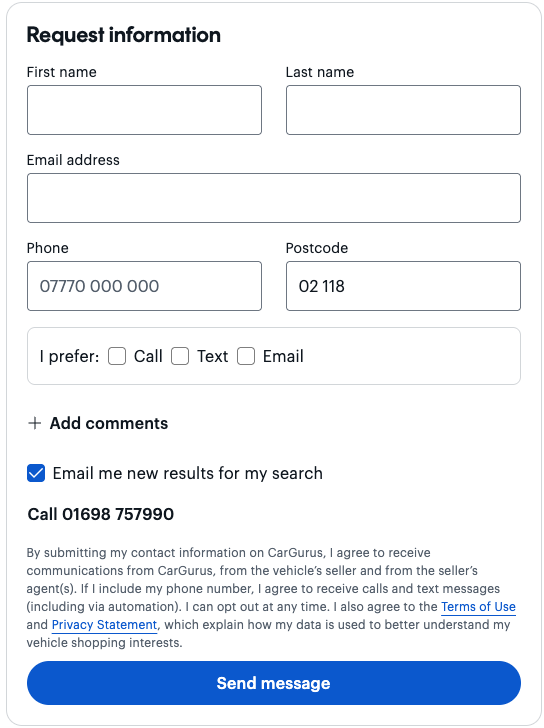
Alternatively, you can find the dealership's phone number on the form, just above our Terms & Conditions, if you would prefer to call them directly.
Please note that you must contact a dealer directly through the CarGurus contact form to be eligible to leave a dealership review.
CarGurus does not sell cars. We are a marketplace that connects shoppers with dealerships based on their location and preferences.